Forum Icon Builder
Introduction
This guide will cover creating icons for our Discord forums, such as the below examples:
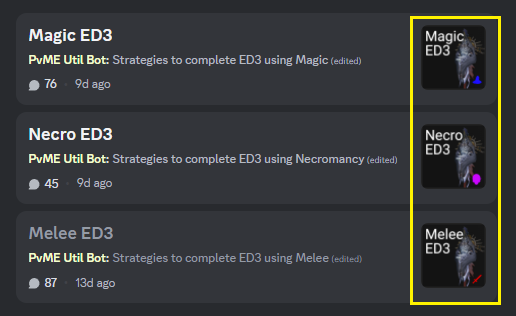
Creating using web app
Steps
- Grab the background image of the boss you're looking for
a. If using https://runescape.wiki then:
⬩ Do not right-click the image on the NPC's main page (it is low quality/size)
⬩ Instead, click on the image and download the full-size version
- Once added into the web app, you can move (by dragging) and zoom (by scrolling) the background image
a. Try to make the background image in the bottom-right
b. Scroll through forum images to get an idea of the style
- Download your file by clicking the
create iconbutton
a. Your icon should be a .png file - if not, use a converter tool online first such as https://cloudconvert.com/webp-to-png
- Edit the relevant forum inside Bot test (external Discord) by typing
/forum editand following the instructions
- Et voila! It's that simple.
Attribution and source history
Adapted from Forum Icon Builder by PvME contributors. Upstream source history. Licensed CC BY-NC-SA 4.0. Snapshot 074a9438f79d10fba75735791be0030734db8b5e. Formatting adapted for standalone MediaWiki; media and third-party references remain external links.